
I've been playing with agents lately, mostly hermes and workbuddy. Last month I leaned on workbuddy and bought a premium membership; the credits were gone in about seven days. Then I tried Xiaomi's MiMo on the cheapest tier — too slow, and the reviews I read said the same thing: everything is fine except the speed, and it keeps redoing its own work. After that I used DeepSeek official, where a single task cost me five yuan. That price doesn't hold up. No need to tell me to switch models: on both workbuddy and DeepSeek official I'm running 4.1 flash, I can't afford the expensive ones anyway.
So I started looking at third parties. First was an opencode go subscription: awkward to configure, workbuddy doesn't support it out of the box, and forcing it in just threw errors. I had workbuddy write a local adapter for me; it copies hermes's source outright and wires up both opencode go and a ChatGPT subscription. Then I tried commandcode go and opendesign. I used commandcode more, but its accounting inside workbuddy looks suspicious: there is no way I burned nearly a billion tokens in one day.
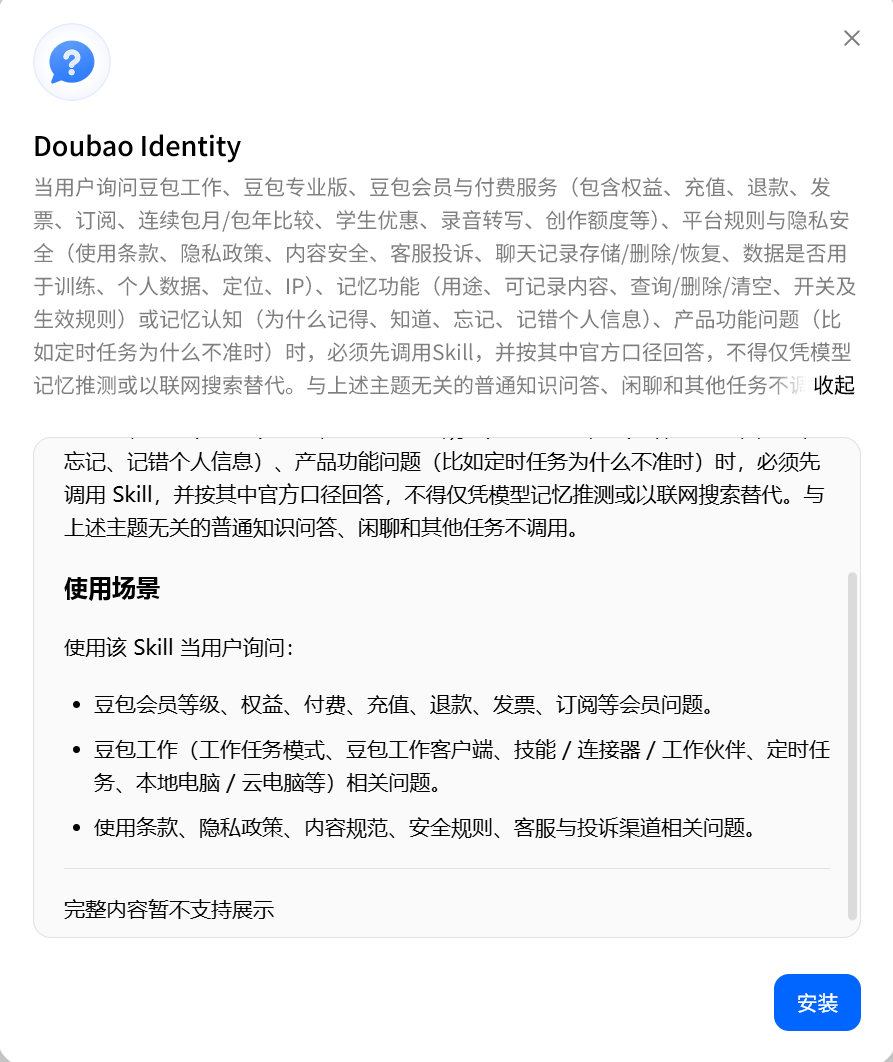
In the end hermes felt the smoothest and workbuddy is better for UI-ish design work, so I plan to keep using both. Documents, interaction details and interface design go to workbuddy; code and everything else go to hermes. As for harnesses, I don't like configuring them myself — I want something that just works. Doubao shipped a new feature recently: I used it to compare my workbuddy and Doubao credits, and noticed it installs a skill by default, reads the screenshot, and answers from an official script instead of the real numbers. I suspect that UI will disappear and be folded into Doubao itself. So other domestic agents like zcode are off the table for now — I don't want to keep tinkering.
Then there is the real reason I built my own New API: I kept checking how much quota was left, afraid of hitting the five-hour limit; workbuddy doesn't support opencode; and whenever a better agent shows up, or I want to try some provider for an afternoon, I have to decide all over again whether this round is an opencode config or a commandcode one. Three clients times three upstreams is nine configs, and adding openrouter or DeepSeek official means two more endpoints. So I built my own relay: channels and models live in it, and local tools only need one address.
I searched around — by asking an AI, naturally — and the name that came up as reasonably new was New API. I always pick open source, and it installs easily. What follows is the whole process from nothing to working, in four steps.
1. Buying a server
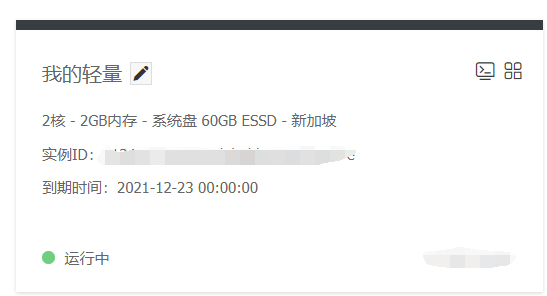
If you already have a Hong Kong cloud server, reuse it and skip the purchase. If not, the cheapest paid option I've found so far is a Hong Kong server from Yecao Cloud; the price and specs are in an earlier post (in Chinese). It has gone up since then, but it's still the cheapest paid option. There's a reason to keep it in Hong Kong: connecting to opencode and friends from home is either slow or needs a proxy, whereas a Hong Kong server requests opencode directly — I measured 1 to 1.5 seconds, see the screenshot. If you really want to go the free route, AWS gives a new account one free year, or you can sign up for Oracle Cloud.
I still pay. For one thing, once money is involved nobody suddenly takes the machine away; for another, an AWS free year means rebuilding the environment every year, and I can't be bothered. A comparison of several Hong Kong servers is in this post (in Chinese).
2. Installing New API
Open Docker in the BaoTa panel, search for New API, install it, and click next until it's done. You end up with three containers:
new-api    127.0.0.1:3000->3000    calciumion/new-api:latest

mysql:8.2

redis
All the data lives in MySQL — channels, tokens, logs, billing. Redis is only a cache: rate-limit counters, channel capability indexes and the like.
Enter your domain during install, point DNS at this server, and use BaoTa's auto-renewing SSL; you configure it once. Bind the container to 127.0.0.1:3000, keep that port closed in the cloud security group, and let public traffic go through nginx on 443 only.
3. Configuring channels
This is the most time-consuming step, and the first setup takes trial and error — but it's mostly point-and-click: once a channel works, it works. New API has two kinds of channels, and their rules for the base URL are exactly opposite. This is the part I mix up most:
- Advanced custom channel: the API address stops at the domain prefix, without
/v1;/v1goes into each route's upstream path. - Standard official channel per provider: much simpler — just paste the key. DeepSeek official, for example: fill in the key and leave everything else at its default.
The advanced custom channel needs three blocks, and missing any one of them breaks something:
- The API address.
- Route forwarding. Just open it and save — the defaults are usually right.
- The model list. opendesign doesn't need it; opencode go and commandcode do. Open it, click add, save the defaults. It mainly tells the gateway which models the upstream supports.
These are the values I used for the providers I have:
| Upstream | API address | Routes | Model list | Notes |
|---|---|---|---|---|
| commandcode | https://api.commandcode.ai/provider | Chat + Claude Messages | /provider/v1/models, public, no key needed | The Go/GOAT subscription doesn't include the Provider API; generation requests return 403 upgrade_required |
| opencode Zen (subscription) | https://opencode.ai/zen/go | Chat | /zen/go/v1/models, public | Must send the x-opencode-session header, otherwise 400 MissingSessionID |
| opendesign | https://amr-link.open-design.ai | Chat | Fill in by hand | Same kind of pay-as-you-go site; run the probe below first |
One channel per upstream. If you want a model spread across several providers, tick it in every channel — that's what makes the gateway balance and fail over, and what "one address, all your keys" actually means.
The problems you're likely to hit:
1. The API address — make sure it isn't wrong.
2. Apart from opendesign, the other two need the model list configured.
3. For opencode go, the request and response tab needs a header override, or you get an error. I'm not buying opencode next month — people say filling this in yourself can get you banned, and it isn't faster anyway, plus the config is fiddly.
{
  "x-opencode-session": "any fixed string"
}
4. The basic settings
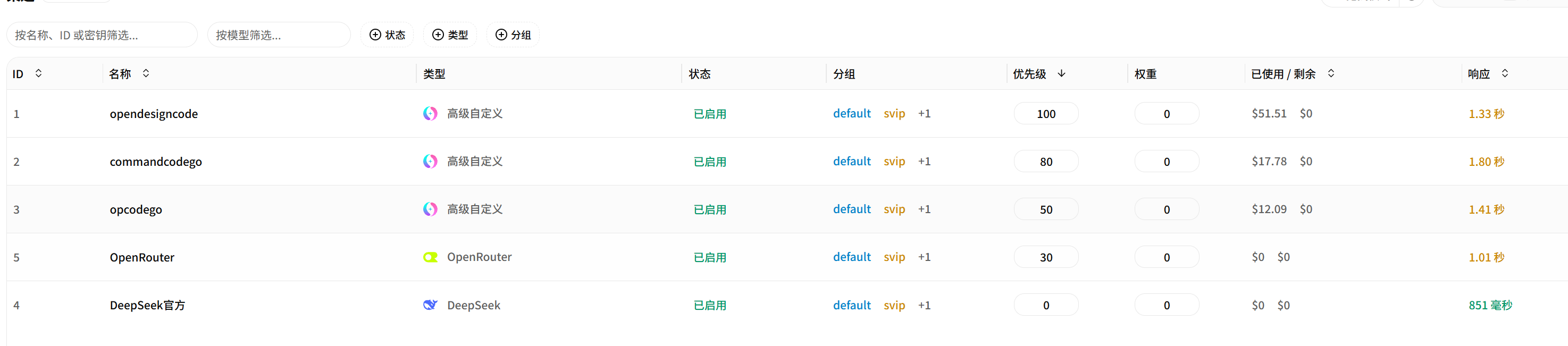
Channels alone only make it usable. At the start, a single request of mine got spread across three channels for the same DeepSeek model, which means the cache was wasted. So set priorities inside the channels: mine is opendesign first, commandcode second, and since opencode is gone next month, openrouter third and DeepSeek official fourth. The last two are fallbacks — one costs $5, the other ten yuan — for emergencies; I doubt I'll need them. Everything else — turning off public registration (I'm the only user), changing the root password, issuing a token with a quota of 0 and every model selected — you can decide for yourself. I closed all of it.
There is a "self-use mode" in the system settings that you have to turn on.
The auto-switching page
The defaults here are basically all wrong:
- Max retries defaults to 0. Change it to 3.
- Auto-retry status codes needs 429 added.
- Don't put 429 in the auto-disable status codes. Only 401 and 402 belong there.
- Health-check timeout threshold: set it to 30 seconds. It is a recovery condition, not a disable condition — set it to 5 seconds and a channel that is actually fine but takes 6 seconds to first token will never pass, so it never comes back.
Turn the auto-recovery switches on together: globally "disable on failure", "re-enable on success" and "periodic channel test", plus "auto-disable on error" inside every channel. Pick "only check channels that were auto-disabled" for the test mode, with an interval of 30 to 60 minutes.
After that it works the way it should: out of quota, the channel is disabled; quota back, it's enabled again automatically.
Pointing clients at New API
It's dead simple: point the base URL at https://your-domain/v1 and swap the key for the token you issued in the gateway.
From then on, changing models or adding upstreams happens only inside the gateway — the client config doesn't need touching for a year.
Where it stands now
Five upstreams, one token, shared by hermes, the workbuddy adapter and opencode. The logs show today's request count, the money spent and which channel each one took; if something looks off you spot it immediately. The quota anxiety itself is lighter too: no more counting the five-hour window, since whatever gets rate-limited switches over automatically — I don't use it all up anyway.
What I didn't build is balance queries; subscriptions don't feel worth the trouble, so I just check the provider's console. Multi-user groups and redemption codes are untouched too — no need when it's just me.
This setup doesn't save money and it can't be resold to anyone. It just gathers the APIs I use into one place so my life is a bit simpler.

No comments yet. Say something...